


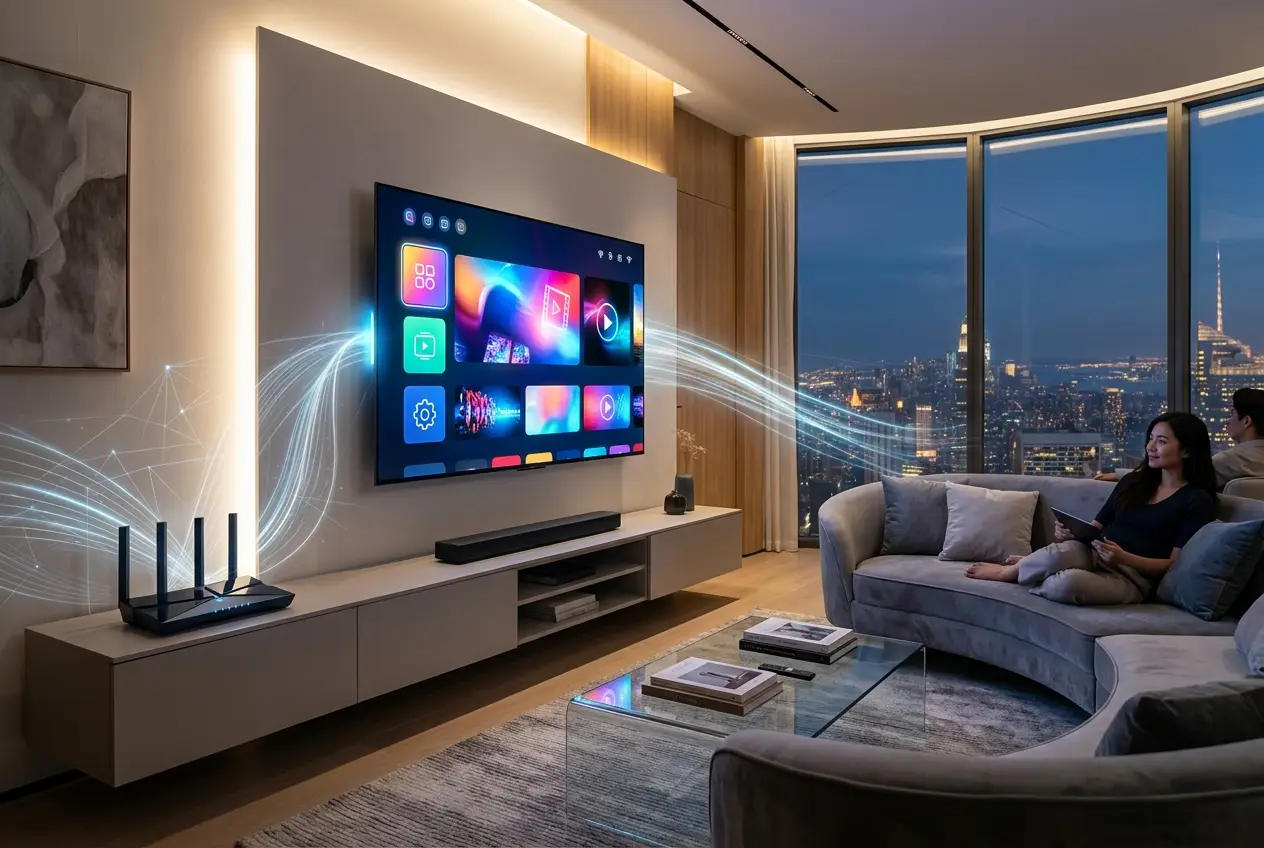
I remember the first time I set up a smart TV. Fresh out of the box, gleaming with its impossibly thin bezel, I just wanted to watch my favorite show. But before I could even get to the broadcast channels, it was asking for my Wi-Fi password. "Why?" I thought. "It's just a TV!" It felt like a small, almost intrusive demand. Yet, that initial query opens the door to a universe of functionality that has profoundly reshaped how we consume media and interact with our homes.
Gone are the days when a television was a passive box simply displaying signals from an antenna or cable. Today's smart TVs are much more than just displays; they are central hubs, information portals, and even control centers for our connected lives. They demand an internet connection not out of choice, but out of necessity, to unlock their true potential and integrate into our increasingly digital world.
Beyond Broadcast: What a Smart TV Really Is
At its core, a Smart TV is essentially a television set with integrated internet connectivity and an operating system (OS), much like a smartphone or a computer. This crucial distinction sets it apart from its traditional predecessors. A conventional TV, even a high-definition one, relies on external sources—antennas, cable boxes, or Blu-ray players—to feed it content. It's a display device, nothing more.
A smart TV, however, acts as a standalone computing device. It runs apps, stores settings, and processes information directly. Without an internet connection, many of these advanced capabilities lie dormant. Think of it this way: your old flip phone could make calls, but your smartphone, while still capable of calling, transforms into a powerful tool once connected to the internet, giving you access to maps, apps, and communication channels far beyond basic telephony. The same principle applies to your smart TV.
The Core Functions That Demand Connectivity
The internet isn't just a nice-to-have feature for a smart TV; it's the very backbone that supports its most coveted functionalities.
Streaming Services: Your Personal Entertainment Library
This is perhaps the most obvious reason your smart TV craves a Wi-Fi signal. Services like Netflix, Hulu, Amazon Prime Video, Disney+, and YouTube operate entirely online. They deliver vast libraries of movies, TV shows, and user-generated content directly to your screen, bypassing traditional broadcast schedules. Without an internet connection, your smart TV is simply a monitor, incapable of accessing these digital rivers of entertainment. This is precisely why your favorite streaming show needs a stable internet connection—it’s constantly downloading chunks of data to give you that seamless, buffer-free viewing experience. For more on how devices handle streaming, you might find our blog on [how does your phone get 5g](how-does-your-phone-get-5g-the-invisible-tech-explained-3020) insightful.
App Ecosystem: More Than Just Movies
Beyond streaming, smart TVs host a diverse ecosystem of applications. These can range from news apps, weather updates, and fitness programs to web browsers and even video games. Want to check the forecast while you get ready for work? Or perhaps browse recipes on the big screen? All these capabilities rely on fetching data and resources from the internet.
Software Updates: Staying Secure and Current
Just like your smartphone or computer, smart TVs receive regular firmware and software updates. These updates aren't just about adding new features; they often include critical security patches, bug fixes, and performance enhancements. An internet connection ensures your TV remains secure against emerging threats and continues to operate efficiently. Without updates, your TV could become vulnerable or run outdated software, leading to compatibility issues or slower performance. This continuous improvement is key to the longevity and user experience of your device. You can learn more about how software updates keep devices secure on Wikipedia: Software Update (opens in a new tab).
Voice Control & AI Assistants: The Conversational Interface
Many modern smart TVs integrate voice assistants like Google Assistant, Amazon Alexa, or proprietary systems. These allow you to control your TV with voice commands, search for content, or even get answers to general questions. How do they work? Your voice command is processed and sent to cloud-based servers via the internet, interpreted by powerful AI, and then the appropriate action or response is sent back to your TV. This complex interaction simply can't happen offline.
Seamless Integration: Smart Home & IoT Hub
The role of a smart TV extends beyond entertainment when it becomes part of a broader Internet of Things (IoT) ecosystem. For instance, I’ve found myself adjusting my smart lights or checking the feed from my smart doorbell directly through my TV's interface. This kind of integration is becoming increasingly common.
Your smart TV can act as a central control panel for various smart home devices, allowing you to monitor security cameras, adjust smart thermostats, or even manage smart lighting, all from the comfort of your couch. This seamless connectivity is what truly transforms a smart TV into a hub for connected living. This is a prime example of how everyday devices are becoming interconnected, much like the concepts explored in our blog about [can living cells store quantum data](can-living-cells-store-quantum-data-3180) in a very different context of information.
The Hidden Mechanics: How Your Smart TV Stays Connected
For all these features to work, your smart TV needs a reliable way to connect to the internet. The most common methods are:
- Wi-Fi: The dominant choice for convenience, allowing wireless connection to your home network.
- Ethernet: For a more stable and faster connection, many smart TVs also include an Ethernet port for a wired link to your router.
Once connected, the TV's operating system manages the flow of data. For example, Android TV (used by Sony, TCL, etc.), WebOS (LG), and Tizen (Samsung) are all sophisticated platforms that leverage cloud services to deliver content, run applications, and integrate with other devices. These operating systems are constantly communicating with servers in the cloud to pull in everything from your favorite show to the latest app updates. For a deeper dive into how different operating systems function, Wikipedia has a comprehensive overview: Operating System (opens in a new tab).
The Trade-offs: Convenience, Data, and Privacy
While the internet connection brings unparalleled convenience and functionality, it also introduces certain considerations, particularly around data and privacy. Smart TVs, by nature of their connectivity, often collect data on your viewing habits, app usage, and even voice commands. This information can be used to personalize content recommendations, serve targeted advertisements, or improve services.
This is why, after watching a series on gardening, you might suddenly start seeing ads for gardening tools on other devices. While manufacturers typically state these practices in their privacy policies, it's crucial for users to be aware of what data is being collected and to manage their privacy settings accordingly. Understanding these data flows is vital in our digital age. A great resource for understanding data privacy concerns with smart devices can be found on Wikipedia: Data Privacy (opens in a new tab).
Conclusion
So, did my smart TV really need the internet? Absolutely. What initially felt like an extra step proved to be the gateway to a richer, more interactive, and integrated entertainment experience. From endless streaming options and personalized recommendations to seamless smart home control and vital security updates, the internet connection transforms a simple display into a powerful centerpiece of our modern, connected homes. It’s no longer just about watching TV; it's about living with TV, and that, fundamentally, requires being online.


Conversation0
No comments yet. Be the first to share a thought — the best questions often become new stories.